Card fields that are not yours, on a checkout that is
The reason CyberSource integrations take so long is not the payment call — it is everything around it: keeping card data off your server, signing every request correctly, and supporting both WooCommerce checkouts at once. This plugin is that work, finished and tested.
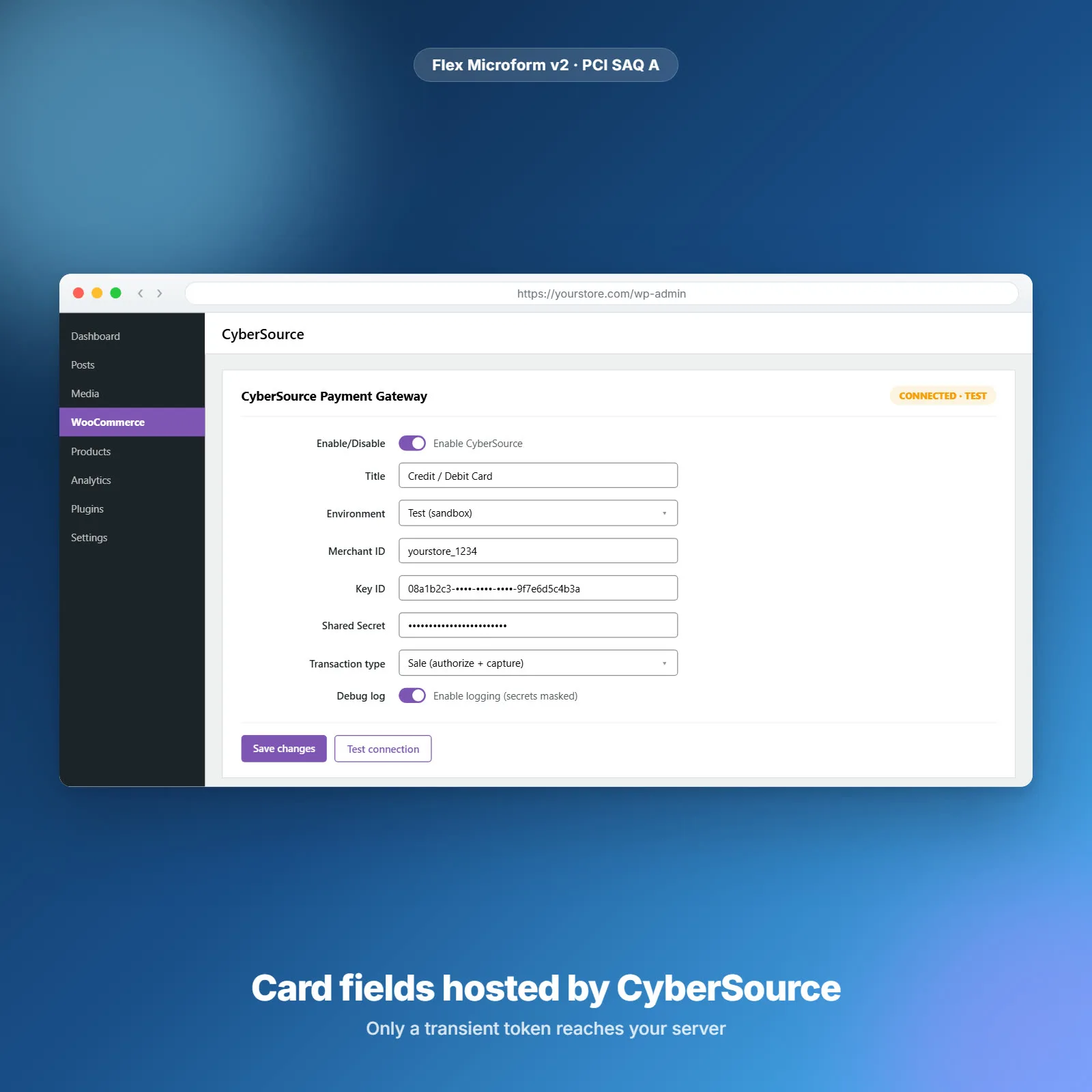
Flex Microform v2 — card data never touches your host
The card number and security code are typed into iframes hosted by CyberSource, tokenised in the browser, and only a short-lived transient token reaches your server. Your host never sees, logs or stores a card number, which is what keeps your PCI scope at the lowest tier instead of dragging your whole server into it.
Payments
- Sale (authorize and capture together) or Authorize only, chosen in settings
- Capture and Void / reverse authorization as admin order actions — no logging into the Business Center to release or cancel an authorization
- Native WooCommerce refunds, full and partial, from the order screen the way every other gateway should work
- Card networks configurable: Visa, Mastercard, American Express, Discover, Diners Club and JCB
- Transaction references stored on the order, so a line in your admin matches a line in your settlement report
Both checkouts, and HPOS
- Classic checkout and the newer Cart / Checkout Blocks — most gateway plugins support one and quietly break on the other
- High-Performance Order Storage (HPOS) compatibility declared properly through WooCommerce's own FeaturesUtil, not assumed
- Both are declared at boot, so WooCommerce stops warning your client that the gateway may be incompatible
Request signing done right
Every call is authenticated with HTTP Signature (HMAC-SHA256) — the signing string, the digest header and the key id assembled to CyberSource's specification. This is the part that silently returns 401 for a week when it is built by hand, and it is already working here.
Currencies
Multi-currency, with zero-decimal currencies handled correctly — JPY, KRW, VND, CLP and the rest are sent as whole units rather than multiplied by a hundred. A detail that costs a merchant a hundredfold overcharge when it is missed.
Test and live, kept apart
Separate credential sets for sandbox and production, switched with one dropdown. No editing keys back and forth, and no risk of a test key reaching a live store.
Logging you can actually use
Debug logging through the standard WooCommerce logger, with secrets and card data masked before anything is written. Enough to diagnose a failed payment; nothing that turns your log file into a liability.
Errors the customer understands
Decline and error responses are translated into messages a shopper can act on, instead of passing a raw gateway reason code to someone who just wanted to buy something.
Requirements
- WordPress 6.0+ · WooCommerce 7.0+ (tested to 9.5) · PHP 7.4+
- A CyberSource account with REST keys — Business Center Payment Configuration Key Management Generate Key REST Shared Secret
- Licensed GPL-2.0-or-later, translation-ready with a text domain and language folder
What you get
The complete plugin, unencoded, with its readme and installation guide. Test harnesses for the API and the signature layer ship in the package, so a developer can verify credentials before touching the checkout.
This is an independent integration. CyberSource is a trademark of CyberSource Corporation / Visa; the plugin is not endorsed by or affiliated with CyberSource.

 Paid