The utility everyone installs at least once
QR scanners are among the most-downloaded utilities on any store, and most of them are bloated with ads and permissions they do not need. This one is a clean, complete implementation of both halves — scanning and generating — ready to brand and publish.
Scanning
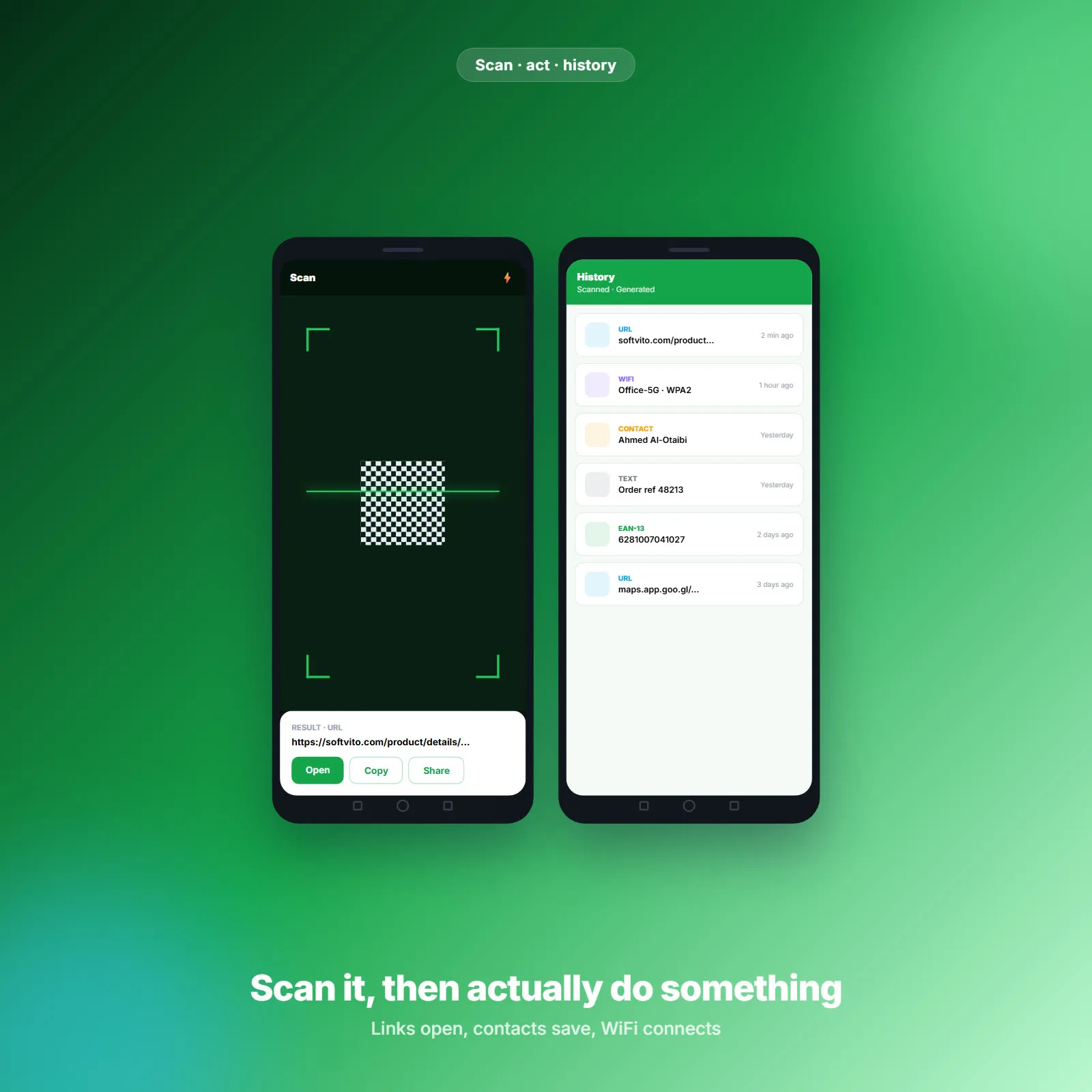
- Camera scanning for QR codes and standard barcode formats
- A dedicated result screen that understands what was scanned and offers the right action:
- a URL opens in the browser
- contact details save to the address book
- WiFi credentials connect
- plain text copies or shares
- Scan from an image already in the gallery, not only from the camera
- Torch control for scanning in poor light — the single most-missed feature in scanner apps
Generating
- Create codes for text, links, contacts, WiFi and more
- A result screen showing the generated code full-size, ready to be scanned off the screen
- Save to the gallery or share directly to any app
- Codes generated at a resolution that survives being printed
History
Both scanned and generated codes are kept, so a code from last week is one tap away rather than a re-scan. Entries can be revisited, re-shared or removed.
Settings
Its own settings screen — scan behaviour, sound and vibration on a successful read, auto-open for links, and history retention. The things a user wants to control, exposed rather than assumed.
Offline and lightweight
Scanning and generating happen entirely on the device. No account, no upload, no network — which matters, because a scanner app that sends every code it reads to a server is a privacy problem, and users have noticed.
Technical
- Platform: native Android, Java
- Scale: 25 classes over 5 screens — small, complete, easy to modify
- Permissions: camera only, which is what keeps the store listing clean
Why it is worth publishing
The category has enormous, steady demand and low technical risk. It is the app to launch a developer account with, to monetise with modest ads, or to brand for a business whose customers scan its codes.
What you get
The complete Android Studio project in full source, with rebranding instructions covering package name, icons, colours and app name.

 Paid